Apple
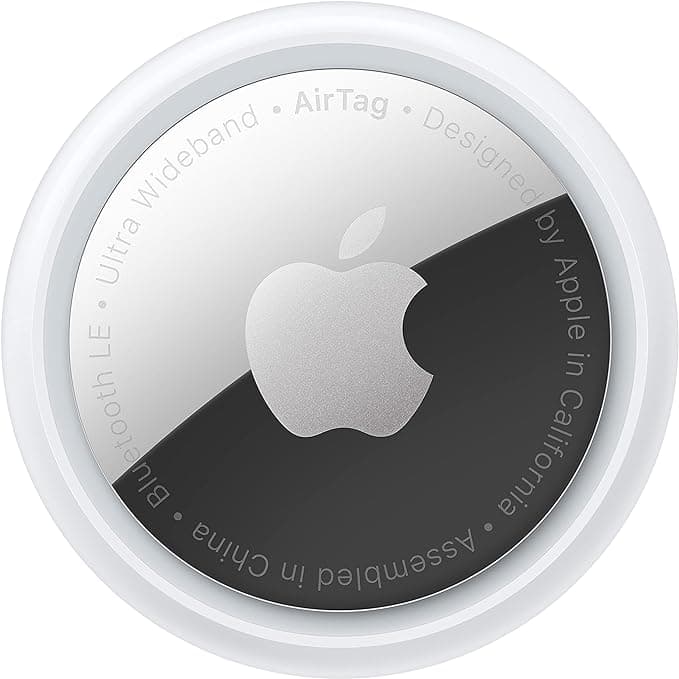
Apple AirTag
Apple’s AirTag uses the Find My network and Precision Finding on compatible iPhones—not standalone GPS—to help locate a collar attachment when nearby Apple devices pass within range.
Disclosure: This page contains affiliate links. If you buy through them we may earn a commission at no extra cost to you — it never affects which products we recommend or how we rank them. How we review
Our review
AirTag is a small Find My accessory that pairs to iPhone or iPad with a one-tap setup, then appears alongside your devices in the Find My app. Precision Finding with Ultra Wideband guides you when the tag is nearby on supported phones, while the built-in speaker helps pinpoint it under cushions.
For pet owners, the practical use is attaching AirTag to a collar holder so you can play a sound or see the last known location when the tag pings the anonymous Find My network. IP67 splash and water resistance and a user-replaceable CR2032 battery suit outdoor walks, though Apple sells holders separately.
It is not a live GPS tracker: updates depend on other Apple devices coming within Bluetooth range, so rural or low-traffic areas feel blind compared with LTE collars. There are no native pet escape alerts—you need third-party apps or a cellular tracker if you require continuous maps.
Pros and cons
What we like
- No monthly fee—uses Apple Find My network
- Precision Finding on supported iPhone models when nearby
- User-replaceable CR2032 battery; IP67 water resistance
- Lost Mode notifies when detected on the Find My network
What to watch
- Not real-time GPS—relies on nearby Apple devices for updates
- No Apple-built geofence escape alerts for pets
- Requires a secure third-party collar holder—not a pet SKU
Specifications
| Diameter | 1.26 in (31.9 mm) |
|---|---|
| Thickness | 0.31 in (8 mm) |
| Weight | 0.39 oz (11 g) |
| Battery | CR2032 coin cell (user replaceable) |
| Water rating | IP67 (1 m up to 30 min, listing) |
| Requirements | iOS 14.5+ / iPadOS 14.5+ for setup |
Who it's for
- iPhone households in suburban or urban areas
- Backup location tag on an existing collar
- Owners who only need occasional Find My pings
The verdict
A low-cost Find My tag for pets when you already live in Apple’s ecosystem and understand the network limits. Choose a cellular collar instead if you need continuous live tracking or fence alerts.